Lee este artículo en español.
HTML to Image in Make: Step-by-Step with the HTTP Module
If you automate with Make (formerly Integromat), at some point a scenario needs to create an image: a social card for every new record, an Open Graph image, a receipt or a thumbnail. You don't need a server or an extra app. The generic HTTP → Make a request module calling the Cofferdock API does it, and the module's response is already the image file.
An honest heads-up, since many people search for it that way: Make has no built-in "HTML to image" module. You do it with the HTTP module calling an API that renders the HTML. Here's how, field by field.
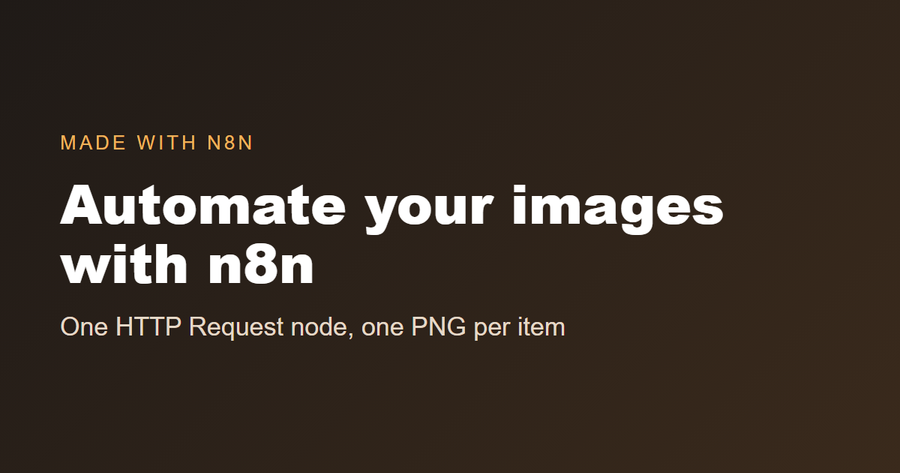
This is the kind of image the API returns from a few lines of HTML:
What you need
- A Cofferdock account. The free plan includes 50 credits a month with no card, perfect for testing.
- Your API key, created in your dashboard with "+ Create key". It's shown once, so copy and save it.
- The HTTP → Make a request module in your scenario.
Step by step in the HTTP module
Add HTTP → Make a request and set it up like this:
- URL:
https://api.cofferdock.com/capture - Method:
POST - Headers: add two →
x-api-keywith your key, andContent-Typewith the valuetext/html. - Query String: add
width=1200andheight=630. - Body type:
Raw - Content type:
text/html - Request content: paste your HTML here.
- Leave Parse response off: the response is an image, not JSON.
Run the module once with Run once. In its output bubble you'll see Data (the image) and the response headers.
Map data from earlier modules into the image
Write your HTML in Request content and click where a value should go to map it from a previous module (for example Google Sheets → Watch Rows):
<div style="width:1200px;height:630px;background:#1f1a17;color:#fff;font-family:Arial;padding:80px;box-sizing:border-box">
  <h1 style="font-size:72px">{{1.title}}</h1>
  <p style="font-size:34px">{{1.author}}</p>
</div>
{{1.title}} is how Make shows a mapped value from module 1; you insert it by clicking the field in the mapping panel, not by typing it. Each bundle that reaches the HTTP module creates a different image.
Save the image to Google Drive (or send it)
Add Google Drive → Upload a file after the HTTP module:
- File: choose Map.
- File name: for example
card-{{1.id}}.png(the extension matters). - Data: map the Data field of the HTTP module.
It works the same with Gmail → Send an email → Attachments (File name + Data), Dropbox, Slack → Upload a file or Telegram → Send a photo.
No HTML at all: use a ready-made template
Send a template name and your texts as JSON instead:
- Headers: keep only
x-api-key. - Body type:
Raw→ Content type:JSON (application/json) - Request content:
{
  "template": "social",
  "data": { "quote": "{{1.quote}}", "author": "{{1.author}}", "brand": "yourbrand.com" },
  "output": "image"
}
The available templates (social, og, youtube, receipt, certificate, invoice) and their fields are at cofferdock.com/templates.json, and you can preview them on the templates page. Texts are escaped, so quotes or symbols in your data can't break the design.
Options you can tweak
Add them in the Query String of the same module:
| Option | Default | What it does |
|---|---|---|
width | 1200 | Image width in pixels (100 to 3840). |
height | 630 | Image height in pixels (100 to 2160). |
format | png | png, jpeg or webp. |
quality | 90 | Quality from 1 to 100 for jpeg and webp. |
full_page | false | true to capture a design taller than height. |
wait_ms | 0 | Wait before the shot so fonts or images finish loading (max 5000). |
output | image | url returns a temporary download link (15 minutes) instead of the file; turn Parse response on in that case. |
Photos, logos and web fonts work with their https://… link inside the HTML or CSS. The design is rendered without running JavaScript, so use HTML and CSS only.
Common errors and how to fix them
| What you see | Why | Fix |
|---|---|---|
401 Missing x-api-key header / Invalid API key | The header is missing, misspelled or the key was revoked. | Header name exactly x-api-key. |
400 Missing or invalid html field | Request content is empty, or the mapped value was empty for that bundle. | Check the input bubble of the HTTP module. |
| Google Drive saves a file that won't open | File name without extension, or Data mapped from the wrong field. | Use a .png name and map the HTTP module's Data. |
| Fonts or images are missing | They didn't finish loading. | Add wait_ms = 1000. |
429 Too many requests or Monthly limit reached | Per-minute limit of your plan, or no credits left this month. | Lower the scenario's max bundles per cycle, or upgrade / buy extra credits. |
Prefer to see it in code?
curl -X POST "https://api.cofferdock.com/capture?width=1200&height=630" \
  -H "x-api-key: YOUR_KEY" \
  -H "Content-Type: text/html" \
  --data-binary "<h1 style='color:#8a5210'>Hello</h1>" \
  -o image.png
How much does it cost?
Each image spends 1 credit. Every Cofferdock tool shares the same pool, so HTML to PDF, website screenshots, QR codes or charts don't need separate subscriptions.
FAQ
Does Make have a native HTML to image module? No. You do it with the generic HTTP module calling the Cofferdock API, which renders the image.
Do I need to turn on "Parse response"? No. The response is an image, not JSON, so leave it off. Only turn it on if you use output = url.
Do I need to know how to code? No. You fill in the HTTP module following this guide, or use a template and skip the HTML.
Does it use many Make operations? One operation per image for the HTTP module, plus whatever you do with the file afterwards.
Related guides
- HTML to image in n8n (with a free workflow to import) and in Zapier
- HTML to PDF in Make
- Website screenshots in Make
Full reference with every option: HTML to image API. No account yet? Create one for free and build your first scenario today.