Lee este artículo en español.
HTML to Image in n8n: Step-by-Step Guide + Free Workflow
Updated
Short answer: n8n has no built-in "HTML to image" node. Add an HTTP Request node that sends your HTML (
POST) to an API that renders it, set Response Format to File, and the node returns the PNG, JPEG or WebP image in thedatabinary property. It works on n8n Cloud and self-hosted, with no community node to install.
If you automate with n8n, sooner or later you need to create an image inside a workflow: a social card, an Open Graph image, a receipt, a certificate or a video thumbnail. You don't need a server, a headless browser or a community node. One HTTP Request node calling the Cofferdock API is enough, and this guide walks you through it field by field.
That one node returns the image file itself, ready for Google Drive, Gmail, Slack or Telegram.
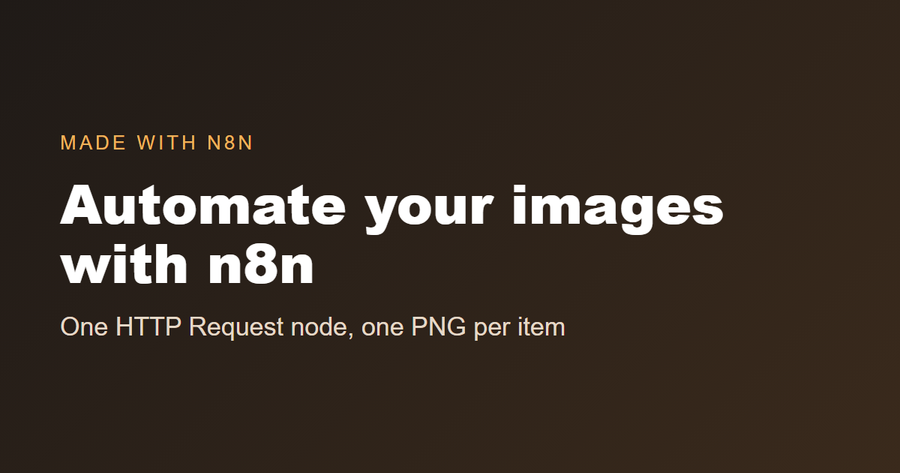
This is the real image the workflow below returns, generated by n8n from a few lines of HTML:
The fastest way: import the ready-made workflow
If you'd rather not fill in fields by hand, start from the free workflow:
- In n8n, create a new workflow and open the ⋯ menu (top right) → Import from URL.
- Paste this link:
https://cofferdock.com/static/blog/n8n/html-to-image.json - Open the HTML to image node and replace
YOUR_API_KEYwith your key. - Click Test workflow. The last node returns the PNG as a file.
You can also download the workflow file and use Import from File, or open it, copy everything and paste it onto the n8n canvas with Ctrl+V.
What you need
- A Cofferdock account. The free plan gives you 50 credits a month with no card, plenty to test.
- Your API key, which you create in your dashboard with "+ Create key". It's shown only once, so copy and save it.
- An HTTP Request node in your n8n workflow.
Step by step in the HTTP Request node
Add an HTTP Request node and fill it in like this:
- Method:
POST - URL:
https://api.cofferdock.com/capture - Send Query Parameters: on, and add the size as separate fields:
width=1200andheight=630. - Send Headers: on, add two headers:
x-api-keywith your key, andContent-Typewith the valuetext/html. - Send Body: on → set Body Content Type to
Raw→ Content Typetext/html→ in Body, paste your HTML. - Under Options → Response → Response Format, choose File.
That's it. The node's output is a binary file in the data property. To attach it in Gmail, add an attachment and type data; in Google Drive → Upload, the input data field is also data.
Put data from previous nodes into the image
The image is only useful if it changes with your data. Switch the Body field to Expression and drop values from earlier nodes into your HTML:
<div style="width:1200px;height:630px;background:#1f1a17;color:#fff;font-family:Arial;padding:80px;box-sizing:border-box">
  <h1 style="font-size:72px">{{ $json.title }}</h1>
  <p style="font-size:34px">{{ $json.author }}</p>
</div>
If the previous node returns ten rows, the HTTP Request runs ten times and you get ten different images. A typical workflow:
- Google Sheets (or a webhook, Airtable, Notion…) reads the rows.
- HTTP Request turns each row into an image, using the expressions above.
- Google Drive saves each image, or Gmail sends it.
No HTML at all: use a ready-made template
If you don't want to write HTML, send a template name and your texts as JSON. Change these fields in the same node:
- Body Content Type:
JSON→ Specify Body:Using JSON - JSON:
{
  "template": "social",
  "data": { "quote": "Automate the boring parts", "author": "Your name", "brand": "yourbrand.com" },
  "output": "image"
}
Remove the Content-Type: text/html header (n8n sends the JSON one on its own). The available templates (social, og, youtube, receipt, certificate, invoice) and their fields are listed at cofferdock.com/templates.json, and you can preview the designs on the templates page. Every text you send is escaped, so data from a form can't break the design.
Options you can tweak
Add them as Query Parameters in the same node:
| Option | Default | What it does |
|---|---|---|
width | 1200 | Image width in pixels (100 to 3840). |
height | 630 | Image height in pixels (100 to 2160). |
format | png | png, jpeg or webp. |
quality | 90 | Quality from 1 to 100 for jpeg and webp. |
full_page | false | Set to true to capture a design taller than height. |
wait_ms | 0 | Wait before the shot so web fonts or images finish loading (max 5000). |
output | image | image returns the file; url returns a temporary download link (15 minutes) instead. |
Background photos, logos and web fonts work by putting their https://… link inside the HTML or CSS. The page is rendered without running JavaScript, so build the design with HTML and CSS only.
Common errors and how to fix them
| What you see | Why | Fix |
|---|---|---|
401 Missing x-api-key header / Invalid API key | The header is missing, misspelled or the key was revoked. | Header name exactly x-api-key, no spaces around the key. |
400 Missing or invalid html field | The body arrived empty: Body Content Type isn't Raw, or the expression returned nothing. | Check the Body preview in n8n shows your HTML. |
| The node returns text or JSON instead of a file | Response Format is still on Autodetect/JSON. | Options → Response → Response Format → File. |
| Fonts or images are missing | They didn't finish loading before the shot. | Add wait_ms = 1000. |
| The image is cut off at the bottom | The design is taller than height. | Increase height or add full_page = true. |
429 Too many requests or Monthly limit reached | Per-minute limit of your plan, or no credits left this month. | Add a Wait node in big loops, or upgrade / buy extra credits. |
503 Server busy, try again shortly | Every rendering slot was taken at that moment. | Retry after the seconds in the Retry-After header. In the node, open Settings and turn on Retry On Fail. |
Prefer to see it in code?
The same call with curl, to try it outside n8n:
curl -X POST "https://api.cofferdock.com/capture?width=1200&height=630" \
  -H "x-api-key: YOUR_KEY" \
  -H "Content-Type: text/html" \
  --data-binary "<h1 style='color:#8a5210'>Hello</h1>" \
  -o image.png
Other ways to do it in n8n
The HTTP Request route is not the only one. This is how the options compare:
| Approach | You need | n8n Cloud | Good to know |
|---|---|---|---|
| HTTP Request to a rendering API (this guide) | An API key | Yes | Nothing to install or host. Works the same on Cloud and self-hosted. |
| A community node for an image API | Installing the package from npm | Only verified nodes | Unverified community nodes can't run on n8n Cloud, and it's one more package to keep updated. |
| Your own headless browser (Puppeteer or Playwright, called from the Execute Command node or from a service you host) | A server you maintain | Not with Execute Command | Full control, and your HTML never leaves your machine, but you install, update and secure the browser yourself. |
If you're on n8n Cloud, or you simply don't want to run anything yourself, the HTTP Request route above is the simplest one.
How much does it cost?
Each image spends 1 credit. Every Cofferdock tool (HTML to PDF, website screenshots, QR codes, charts, PDF tools…) draws from the same pool of credits, so one subscription covers all of them.
FAQ
Does n8n have a native HTML to image node? No. You do it with the HTTP Request node calling the Cofferdock API, which renders the image.
Do I need to know how to code? No. Import the workflow or fill in the node fields following this guide. The HTML can come from a template.
Do I get a link or the file? The file, in the data binary property. If you'd rather get a link (to post it in Slack or save it in a spreadsheet), add output = url.
Can I generate images in a loop? Yes. If the previous node returns several items, n8n runs the HTTP Request once per item and you get one image per item.
Can I use it from an AI agent in n8n? Yes. Connect the same HTTP Request node as a tool of the AI Agent, or use the MCP server explained on the AI assistants page.
Does it work on n8n Cloud? Yes. The HTTP Request node is part of n8n itself, so it runs on n8n Cloud and on self-hosted instances, and you don't install anything.
Can I turn a web page into an image instead of writing HTML? Yes. The website screenshot tool takes a URL instead of HTML, and the setup in n8n is almost identical. See website screenshots in n8n.
Are my HTML and the images stored? No. They are processed in memory and discarded. Only if you ask for output = url is the image kept for 15 minutes so you can download it.
Is there a size limit? The HTML can be up to 5 MB and the image up to 3840 × 2160 pixels.
Related guides
- HTML to image in Make and in Zapier
- HTML to PDF in n8n (invoices and reports)
- Website screenshots in n8n
- QR codes in n8n and charts in n8n
- htmlcsstoimage alternative: when Cofferdock makes sense and when it doesn't
Full reference with every option: HTML to image API. No account yet? Create one for free and build your first workflow today.